🔒 100% Private — No Cloud Uploads

Screen Recording
Without the Cloud

Record unlimited screen videos that stay on your device. No accounts, no uploads, no tracking. Just hit record.

Add to Chrome — Free See Features
No Account Required
GDPR Compliant
Instant Download
Works Offline
DeviceRec Screen Recorder

Why DeviceRec?

Built for professionals who value privacy

🔒

100% Private

Your recordings never leave your device. No cloud uploads, no servers, no third-party access. Perfect for confidential content.

⏱️

Unlimited Recording

No time limits on your recordings. Record 5 minutes or 5 hours — your storage is the only limit.

Smart Zoom

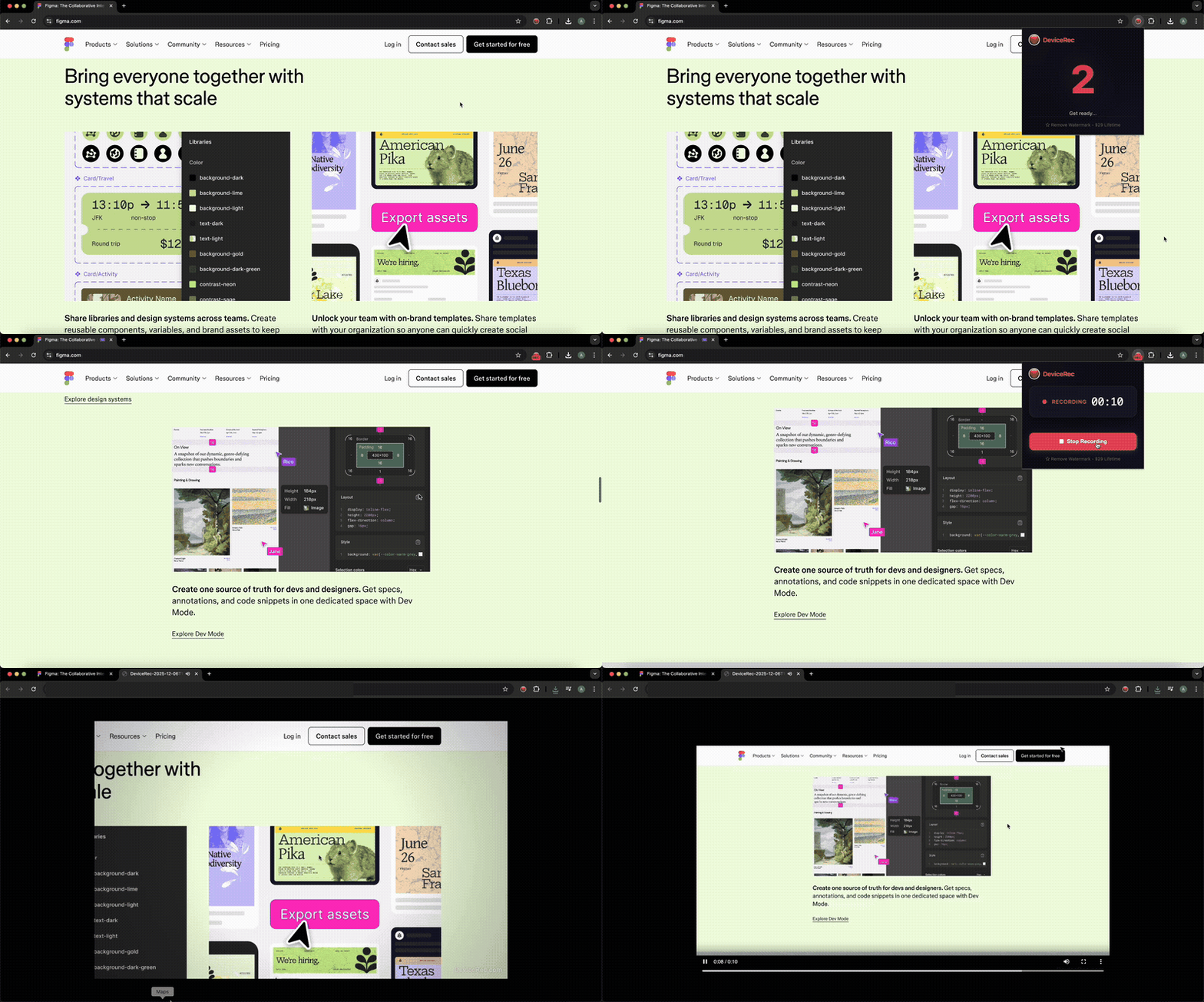
Professional-looking tutorials with automatic zoom that follows your cursor. Just like Screen Studio, but free.

🎤

Mic + Tab Audio

Record your voice alongside tab audio. Perfect for tutorials, demos, and explainer videos.

No Account Needed

Just install and record. No signups, no logins, no email verification. Start recording in seconds.

⌨️

Keyboard Shortcuts

Start and stop recording with Alt+Shift+R. Works on both Mac and Windows. No clicking required.

How It Works

Start recording in 3 simple steps

1️⃣

Install Extension

Add DeviceRec to Chrome from the Web Store. No account or signup required — just one click to install.

2️⃣

Click & Record

Click the extension icon, choose your options (mic, zoom), and hit "Start Recording". Or use Alt+Shift+R keyboard shortcut.

3️⃣

Download Instantly

Stop recording and your video downloads immediately to your device. No processing, no uploads, no waiting.

DeviceRec vs. The Rest

See how we compare to other screen recorders

Feature DeviceRec Loom Others
100% Local (No Cloud)
No Account Required
Recording Time Limit 10 min (Free) / Unlimited (Pro) 5 min (Free) Varies
Smart Auto-Zoom
GDPR/HIPAA Friendly Partial Partial
One-Time Price $29 $180/yr $49-99/yr

Simple Pricing

No subscriptions. Pay once, use forever.

Free

$0
  • 10-minute recordings
  • 720p resolution
  • Smart zoom feature
  • Click indicators
  • Small watermark
Get Started Free

Frequently Asked Questions

Got questions? We've got answers.

Is my data really private?

Yes! DeviceRec processes everything locally in your browser. Your recordings are saved directly to your computer and never touch our servers. We literally can't see your videos because we don't have servers to store them.

What's the difference between Free and Pro?

Free users get 10-minute recordings at 720p with a small watermark. Pro users get unlimited recording time, 4K quality, no watermark, and priority support — all for a one-time $29 payment.

Can I record internal meetings and confidential data?

Absolutely. Since everything stays on your device, DeviceRec is perfect for recording sensitive content. It's GDPR and HIPAA friendly because no data ever leaves your computer.

Do you offer refunds?

Yes, we offer a 30-day money-back guarantee. If you're not happy with Pro, just email us and we'll refund you — no questions asked.

Does it work on Mac and Windows?

Yes! DeviceRec works on any platform that supports Chrome — including Mac, Windows, Linux, and ChromeOS.

Ready to Record Privately?

Join thousands of professionals who record without the cloud.

Add to Chrome — Free